Police Parking 3D Driving Game
Reviews
💡Police Parking 3D offers a straightforward parking challenge with 20 levels that gradually increase in difficulty. The 3D graphics are clean and the controls are responsive, making it easy to pick up. Unlocking new police cars adds motivation to keep playing. It is a good choice for players who enjoy precision driving games without time pressure. The game is free and runs well in a browser, making it accessible for quick breaks.
Description
Game Introduction
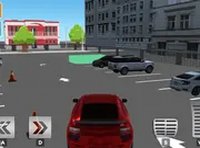
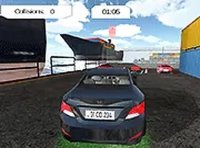
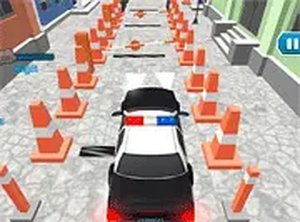
Police Parking 3D is a browser-based driving game that puts you in control of a police car. The core objective is to drive carefully and park the vehicle in its designated spot. The game offers a realistic 3D environment that makes parking feel immersive. It is free to play directly in your browser with no downloads required. Designed for desktop play, the game provides a family-friendly experience that combines simple controls with a rewarding progression system.
How to Play
Players typically use their keyboard's arrow keys or WASD to move the police car. The goal is to navigate to the highlighted parking spot and park within the lines. You must avoid obstacles and adjust your strategy for each level. The game works best on a computer with a keyboard. You can switch to full-screen mode for a more immersive experience. Take your time and practice your parking skills to succeed.
Game Features
Features include multiple challenging levels, each with a unique layout that tests your precision and patience. As you complete levels, you unlock different police cars, adding variety to the experience. The game offers realistic 3D graphics and is optimized for desktop computers. It includes a full-screen mode for an enhanced view. The controls are simple and responsive, making it easy to start playing.
Tips for Success
Practice regularly to improve your precision and patience. Learn the mechanics of each level by observing the layout before moving. Take your time and avoid rushing, as careful driving leads to better parking. Adjust your strategy for each level, as each one presents a new challenge. Use the full-screen mode for a more immersive experience that can help you focus.