Drive to Work Arcade
Reviews
💡I Gotta Get to Work offers a clean and engaging experience. The tap-to-accelerate mechanic is intuitive, and the traffic patterns keep each round fresh. It is easy to pick up but hard to put down, making it ideal for quick gaming sessions. The lack of complex controls means anyone can play, and the full screen option adds to the immersion. While the concept is simple, the challenge of avoiding crashes provides good replay value. It is a solid choice for casual players looking for a quick reflex test.
Description
Game Introduction
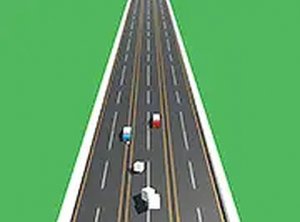
I Gotta Get to Work is a simple and addictive online arcade driving game. The core objective is to control a car as it navigates through busy traffic. Players must avoid crashing into oncoming vehicles to keep their journey going. The game is designed for quick, engaging sessions and is free to play directly in a web browser with no downloads required. It offers a fun challenge that tests reflexes and timing, making it ideal for short breaks or casual play.
How to Play
Playing I Gotta Get to Work is straightforward. Players use a mouse to control the car's speed: tap the mouse button to accelerate and release it to decelerate. The car moves automatically from left to right across the road. The key is to time taps carefully to avoid hitting oncoming traffic. Each collision ends the game, so maintaining focus and a steady pace is essential. The game is optimized for desktop play, and no complex controls are needed—just tap and release to master the road.
Game Features
Simple tap controls make the game easy to pick up. Addictive gameplay encourages repeated play. The game is free to play with no downloads or sign-ups required. A full screen mode offers a more immersive experience. The game is family-safe and suitable for all ages. As an arcade driving game, it focuses on quick reflexes and timing rather than complex mechanics or story.
Tips for Success
Practice regularly to improve your timing and reflexes. Learn to anticipate the flow of traffic to better plan your acceleration and deceleration. Stay calm and avoid overcorrecting, as sudden movements can lead to crashes. Focus on maintaining a steady pace rather than rushing. Use short play sessions to build muscle memory, and gradually increase your speed as you become more comfortable with the controls.