TicTacToe Strategy Board Game
Reviews
💡This browser-based game reinvents a classic by offering larger boards and a four-in-a-row objective. The two-player mode encourages direct competition, while multiple grid sizes add variety. Score tracking helps you keep tabs on wins. It is easy to learn and perfect for short breaks. A solid choice for puzzle fans.
Description
Game Introduction
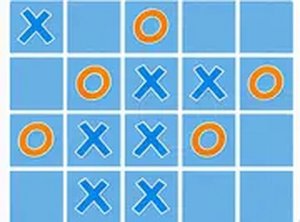
This online puzzle game offers a new version of the classic tic-tac-toe format. Instead of the standard 3x3 grid, players can choose larger boards such as 5x5 or 7x7. The objective shifts from three in a row to four in a row. This added complexity requires careful planning and foresight. It is designed for two players and provides a more engaging challenge. The game runs directly in your browser without any downloads. You can start playing instantly on any device. Whether at home or on a break, this puzzle game offers a strategic twist on a timeless classic. The larger grids make each match unique and encourage players to think ahead. It is a great way to exercise your mind while having fun with a friend. The simple rules make it easy to learn, but mastering the strategy takes practice.
How to Play
To begin, select a grid size: 3x3, 5x5, or 7x7. Players take turns placing their symbol on an empty square. The goal is to be the first to get four symbols in a row horizontally, vertically, or diagonally. On larger grids, you must anticipate your opponent's moves while building your own line. The game automatically tracks scores for each round. For a better view, use the full screen option. Simply click or tap on the grid to make your move. The rules are simple, but mastering the strategy takes practice.
Game Features
This game includes a two-player mode for direct competition. Multiple grid sizes offer variety and increasing difficulty. High score tracking lets you compare results across rounds. Full screen support provides a clear playing field. As a browser-based game, it requires no downloads or installations. It is accessible on any device with an internet connection.
Tips for Success
Start with the 3x3 grid to get comfortable with the rules. Then gradually move to larger grids to develop your strategic thinking. Pay attention to your opponent's moves and try to block their potential four-in-a-row lines while building your own. Practice regularly to recognize patterns and improve your foresight. Playing with a friend can also help you learn new strategies through direct competition.