
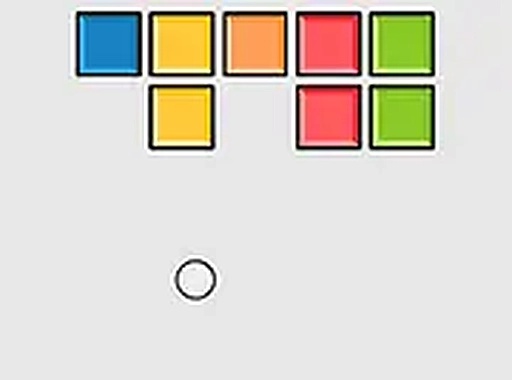
Brick Break Classic Puzzle Game
Runs in your browser — no download.
Reviews
Brick Break delivers a polished version of the classic brick-breaking formula. The controls are responsive on both desktop and mobile, and the gradual increase in difficulty keeps the gameplay engaging. The potential for power-ups adds a nice strategic element. It is a great choice for quick gaming sessions.
Description
Game Introduction
Brick Break is a classic puzzle arcade game that brings the timeless brick-breaking experience to your browser. The core objective is to clear all bricks from each level by bouncing a ball off a paddle at the bottom of the screen. This game is designed for players of all ages, offering simple yet addictive gameplay that can be enjoyed in short bursts or longer sessions. Its classic arcade style makes it a nostalgic choice for seasoned gamers while remaining accessible to newcomers.
How to Play
To play Brick Break, you control a paddle at the bottom of the screen to keep a ball in play. The ball bounces off the paddle and walls, and your goal is to hit and break all the bricks above. You can move the paddle left or right using your mouse on a computer or by touching the screen on mobile devices. As you clear bricks, the ball may continue bouncing until all bricks are destroyed. The game typically includes a menu to start, pause, or restart levels, and may support full-screen mode for a more immersive experience.
Game Features
Brick Break features classic arcade-style gameplay with a paddle and bouncing ball. It includes a variety of levels that progressively increase in challenge. Power-ups, such as a larger ball or extra lives, may appear as you break bricks, adding an element of surprise and strategy. The game is playable directly in a web browser without any downloads, and it is designed to work smoothly on both desktop and mobile devices. Full-screen mode may be available to enhance the visual experience.
Tips for Success
To succeed in Brick Break, focus on keeping the ball in play by positioning your paddle under the ball's trajectory. Try to aim the ball to hit multiple bricks in one bounce to clear levels faster. Pay attention to any power-ups that appear and collect them to gain advantages. Practice regularly to improve your reflexes and timing. If a level feels too difficult, take a short break and try again with a fresh perspective. Learning the ball's bounce patterns can also help you anticipate its movement.



03 Comments
Sign in to comment
You must be logged in before posting a review or rating.
No account? Create one
No comments yet. Be the first to comment!