Stick Hero Battle: Action Fighting
Reviews
💡Stick Hero Battle is a delightful fighting game that brings stick figure battles to life. With three distinct modes, including a challenging Endless mode, it offers plenty of variety. The controls are easy to learn, making it accessible for all ages. The two-player mode is especially fun for friendly competition. Power-ups add a strategic layer, keeping each match fresh. Overall, it's a well-designed game that delivers hours of entertainment without any complex mechanics.
Description
Game Introduction
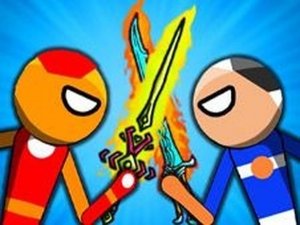
Stick Hero Battle is an exciting online fighting game where stick avatars compete against each other. You can choose 1P mode to fight against a computer opponent or 2P mode to challenge a real player. The game also offers an Endless mode where you face waves of enemies until you can't continue. Power-ups appear in the arena, so grab them to gain an advantage. The goal is simple: deplete your opponent's health bar completely to win. With easy controls and fast-paced action, this game is perfect for players of all ages looking for a fun and competitive experience.
How to Play
In Stick Hero Battle, start by selecting your mode. In 1P mode, you play against the computer. In 2P mode, one player uses the ARROWS keys and the other uses the WASD keys. Use your stick avatar to hit, shoot, and attack your opponent with various items. Deplete the enemy's health bar to win. In Endless mode, you face one enemy after another. Keep an eye out for power-ups that appear in the arena to help you survive longer. The game is easy to learn but offers plenty of challenges.
Game Features
Fun stick figure battles with random power-ups and items. Two-player mode for head-to-head action. Endless mode for continuous play. Simple controls suitable for all ages.
Tips for Success
To succeed in Stick Hero Battle, practice your timing and positioning to land hits while avoiding enemy attacks. In 2P mode, communicate with your partner to coordinate strategies. In Endless mode, prioritize grabbing power-ups to boost your health or damage. Stay mobile and don't stay in one spot for too long, as enemies may surround you. Learn the attack patterns of computer opponents to predict their moves. Finally, take breaks to keep your reflexes sharp during longer sessions.