Arcade Guardian: Endless Dodge

Reviews
💡Arcade Guardian: Endless Dodge delivers an addictive survival experience that keeps you coming back for more. The auto-fire mechanic lets you focus entirely on dodging and collecting tokens, making each run a test of skill. The upgrade system adds depth without complexity, and the full screen mode enhances immersion. It is a perfect choice for quick gaming sessions.
Description
Game Introduction
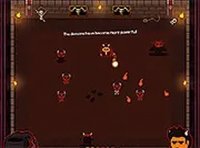
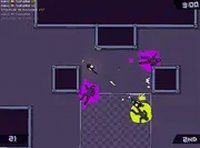
Arcade Guardian: Endless Dodge is a fast-paced survival game that challenges your reflexes and strategic thinking. In this endless wave-based experience, you face increasingly complex formations of enemies that test your ability to avoid incoming projectiles. The core objective is simple: survive as long as possible and achieve your highest score. Since you are your own opponent, every playthrough offers a chance to improve your performance. During gameplay, you collect tokens that appear after defeating enemies. These tokens allow you to upgrade your power-ups and increase your fire rate, helping you last longer against tougher waves. The auto-fire feature lets you concentrate on movement and tactics while your equipment operates continuously. Designed for desktop play, Arcade Guardian: Endless Dodge provides an engaging experience with no downloads required. It is completely free to play and runs smoothly in your browser. For optimal immersion, you can switch to full screen mode and enjoy the action without distractions. Whether you are a casual gamer or a dedicated survival enthusiast, this game offers endless fun and challenge.
How to Play
Playing Arcade Guardian: Endless Dodge is easy and intuitive. You use your keyboard and mouse to control your character and dodge enemy projectiles. The game automatically fires your equipment, so you can focus on moving and collecting tokens. As you defeat enemies, tokens appear on the screen. Gather them to upgrade your power-ups and boost your fire rate. Each upgrade helps you survive longer and reach higher waves. The key is to stay alert and avoid incoming projectiles while maximizing your token collection. Practice makes perfect, so keep playing to improve your reflexes and strategy. The game runs best on desktop computers, so make sure you are using a keyboard or mouse for optimal control. To start, simply open the game in your browser, click play, and begin the action. No registration or download is needed.
Game Features
Endless waves keep the challenge fresh. Auto-fire allows you to focus on dodging. Upgrade system lets you improve power-ups and fire rate. Full screen mode provides an immersive experience. No downloads or registration required for instant play.
Tips for Success
To excel in Arcade Guardian: Endless Dodge, practice moving efficiently to avoid incoming projectiles while collecting tokens. Prioritize upgrades that boost your fire rate and power-ups, as these help you clear enemies faster and survive longer. Stay patient—each run teaches you enemy patterns and improves your reflexes. Try to maintain a balanced focus on both offense and defense, and don't be afraid to experiment with different upgrade paths. Consistent play is the best way to improve your high score.