Retro Alien Defense Arcade
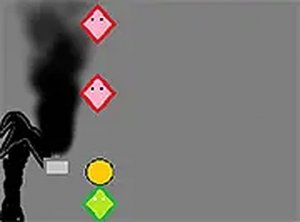
Reviews
💡Retro Alien Defense Arcade successfully blends nostalgia with modern strategy. The pixel art and sound effects create an immersive atmosphere. The upgrade system adds depth, and the increasing difficulty keeps gameplay engaging. It is a safe, family-friendly choice for all ages.
Description
Game Introduction
Retro Alien Defense Arcade is a strategy and defense game inspired by classic 1950s science fiction. The game presents a clear objective: protect your base from waves of alien ships. Players control a flying saucer and must defeat all incoming alien vessels before they reach the base. The game combines nostalgic pixel art with modern upgrade mechanics, creating an experience that appeals to both casual and dedicated players. Each wave of enemies becomes more challenging, requiring players to adapt their strategies. By collecting resources from defeated aliens, players can improve their defenses and weapons. The simple controls and fast-paced action make it easy to start playing at any time. Whether you have a few minutes or an hour, the game offers a satisfying challenge. The retro visuals and sound effects build an immersive atmosphere. It is a family-friendly experience suitable for players of all ages.
How to Play
Players use their keyboard or mouse to move the flying saucer left and right. The goal is to defeat incoming alien ships before they reach the base. Players aim carefully to defeat each enemy and collect the resources they drop. These resources can be spent in the shop to upgrade the base and weapons. Upgrades make the defense more effective against tougher alien waves. The game is designed for desktop play and works best with a keyboard or mouse. Precise control helps players achieve higher scores. Each round ends when an alien reaches the base, so quick reactions are important. Practice improves timing and accuracy. The game saves progress, allowing players to return later.
Game Features
Retro pixel art style that evokes classic arcade games. Fast-paced action that keeps players engaged. Upgrade system to strengthen the base and weapons. Addictive gameplay that encourages replay. Simple controls suitable for all skill levels. Family-friendly content with no violence or inappropriate themes.
Tips for Success
Focus on upgrading base defenses early to withstand tougher waves. Practice aim to defeat aliens quickly and collect more resources. Prioritize enemies that are closest to the base to prevent breakthroughs. Save some resources for later upgrades instead of spending them all at once. Play regularly to improve reaction time and learn enemy patterns. Take short breaks if feeling frustrated to maintain focus.