Arcade Platformer Prototype
Reviews
💡Arcade Platformer Prototype delivers a straightforward and enjoyable platforming experience. The controls are easy to learn, making it accessible for all ages. The coin collection mechanic adds a satisfying goal to each level. It runs smoothly on both desktop and mobile, and the full screen option enhances the experience. A solid choice for casual gamers.
Description
Game Introduction
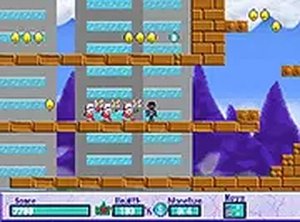
Arcade Platformer Prototype is an action platform game that blends running, jumping, and coin collecting into a fast-paced arcade experience. Designed for players of all ages, this prototype offers direct browser-based play without any downloads. It challenges you to navigate through levels, avoid obstacles, and gather coins to progress. The game is suitable for both casual gamers looking for quick fun and platformer enthusiasts seeking a new challenge. Explore vibrant environments and test your reflexes in this family-friendly title available online.
How to Play
To play Arcade Platformer Prototype, use keyboard or touch controls to run and jump. On desktop, arrow keys or WASD move your character, while the spacebar triggers jumps. Some actions help overcome obstacles or break barriers. Collect coins scattered throughout levels to increase your score. On mobile, tap or swipe on the screen to control movements and actions. The game runs smoothly on both platforms, and you can toggle full screen mode for a better view. Aim to reach the end of each level while gathering as many coins as possible. Practice timing and precision to master the gameplay.
Game Features
Free to play with no downloads required. Full screen mode available for an immersive view. Compatible with both mobile and desktop devices. Simple controls that are easy to learn. Levels designed for quick and engaging play sessions. The game includes mechanics to interact with obstacles and enemies.
Tips for Success
Practice your timing for jumps to navigate levels efficiently. Collect as many coins as possible to maximize your score. Learn enemy patterns and obstacle placements to avoid damage. Use full screen mode for better visibility. Experiment with both keyboard and touch controls to find what works best for you. Stay patient and keep trying to improve your reflexes.