Retro Blaster Space Shooter
Reviews
💡Retro Blaster captures the essence of classic arcade shooters with its vector graphics and simple gameplay. The increasing difficulty keeps each session fresh, and the lack of downloads makes it instantly accessible. It is a solid choice for short breaks or longer play, offering good replay value through score chasing.
Description
Game Introduction
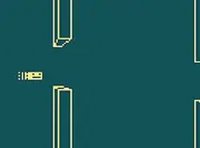
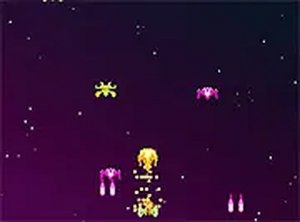
Retro Blaster is a classic space shooter arcade game that brings back the golden age of arcade gaming. You take on the role of a defender, protecting valuable power crates from alien space pirates. The game features classic vector visuals that give it a nostalgic retro feel, reminiscent of early arcade classics. Your goal is to survive as long as possible while blasting enemy ships that come your way. Each wave of aliens becomes more challenging, testing your reflexes and shooting skills. The simple yet addictive gameplay makes it easy to pick up but hard to put down. Whether you are a fan of retro games or just looking for a fun way to pass the time, Retro Blaster offers a satisfying experience. It runs directly in your browser, with no downloads required. You can also play in full screen mode for a more immersive experience.
How to Play
Playing Retro Blaster is straightforward and intuitive. Use your keyboard or mouse to control your ship and shoot down incoming alien space pirates. The main objective is to protect the power crates from being captured or destroyed. You must survive as long as possible by dodging enemy fire and taking out opponent ships. The game increases in difficulty as you progress, with more enemies appearing and faster attack patterns. To play, simply load the game in your browser on a desktop computer. Use the arrow keys or mouse to move your ship, and press the spacebar or click to shoot. Keep an eye on your health and power-ups to stay in the game. The longer you survive, the higher your score. Practice your aim and timing to become a master blaster.
Game Features
Classic arcade vector visuals. Addictive space shooter gameplay. Free to play on desktop. Increasing difficulty with each wave. No downloads required, runs in browser. Full screen mode available for immersion.
Tips for Success
Focus on dodging enemy fire while aiming precisely at targets. Prioritize protecting power crates, as they are essential for your survival. Learn enemy attack patterns to anticipate and avoid incoming threats. Collect power-ups whenever possible to boost your ship's capabilities. Practice regularly to improve your reflexes and timing, which are key to achieving higher scores. Stay calm during intense waves and conserve your health by not taking unnecessary risks.