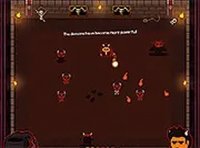
Kogama Oculus Challenge Arcade Game

Reviews
💡Kogama Oculus Challenge is a delightful online arcade game that combines room-based exploration with cooperative play. The controls are responsive, and the graphics are colorful and engaging. Playing with friends adds a social layer that makes each session more enjoyable. The game is free and runs smoothly in a browser, making it an excellent choice for casual gaming breaks.
Description
Game Introduction
Kogama Oculus Challenge is an online arcade game that places you in a series of rooms filled with oculus targets. Your main goal is to collect items and power-ups scattered around each area, then complete every oculus to unlock the door and advance to the next challenge. Designed for desktop play, it offers smooth controls and vibrant graphics that make each session engaging. You can play alone or invite friends to join online, turning the experience into a cooperative mission. The game is free to play directly in your browser, making it easy to jump into a quick game whenever you have time.
How to Play
To play Kogama Oculus Challenge, use a desktop computer with a keyboard and mouse. Move your character using standard movement keys. Aim with your mouse and interact by clicking the left button. As you explore each room, pick up items and power-ups to boost your abilities and energy. Your main task is to complete all oculus targets in the room. Once every oculus is finished, the closed door opens, letting you move to the next level. You can play solo for a personal challenge or invite friends to team up online. Working together helps clear rooms faster and adds a social element to the game. Keep an eye on your energy bar and use power-ups when needed to stay active. Full-screen mode is available for a more immersive experience.
Game Features
Exciting arcade gameplay that keeps you on your toes. Multiplayer mode lets you team up with friends for cooperative play. Collectible items like power-ups add strategy to each room. Full-screen support enhances focus and immersion. Free to play in your browser with no downloads required.
Tips for Success
Kogama Oculus Challenge offers a clean, straightforward arcade experience that is easy to pick up. The cooperative element makes it a great choice for playing with friends during short breaks. The game rewards teamwork and quick thinking without being overly complex.