
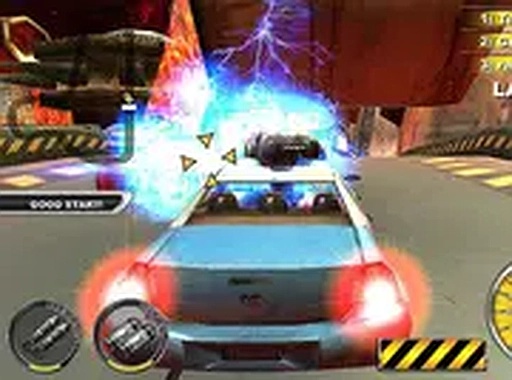
Arcade Speed Racing Challenge
Runs in your browser — no download.
Reviews
Arcade Speed Racing Challenge offers a unique blend of car building and strategic racing. The ability to customize vehicles with power-ups and nitro boosts adds depth. Tracks are varied, and the simple controls make it easy to pick up. The balance between speed and tool usage requires practice, providing a rewarding challenge for driving game fans.
Description
Game Introduction
Arcade Speed Racing Challenge is a free online driving game that combines high-speed competition with strategic use of power-ups. In this game, you get to build your own car from scratch, equipping it with performance enhancements and nitro boosts. The goal is simple: race against opponents on challenging tracks and use your tools to slow them down before they reach the finish line. With its intense gameplay and creative vehicle customization, this free online game offers a unique twist on traditional racing. Available directly in your browser on desktop computers, it provides instant access to fast-paced fun. Whether you are a fan of driving or action games, this game delivers a thrilling experience that keeps you engaged.
How to Play
To play, use your keyboard and mouse on a desktop computer. Start by selecting or building your car, then choose your power-ups and nitro upgrades. During the race, use the arrow keys or WASD to control your vehicle's movement. Press the designated keys to activate tools at opponent cars, slowing them down or removing them from the race. Activate nitro boosts strategically to gain speed and overtake opponents. The race ends when you cross the finish line first, but watch out for opponent attacks that can damage your car. Practice your driving and tool usage to master the tracks and become the top racer.
Game Features
Build and customize cars with power-ups and nitro for exciting racing action. The game offers a variety of tracks and opponents, keeping each race fresh. Simple controls make it easy to start, but mastering the balance of speed and tool usage takes practice. Players can upgrade their vehicles between races, adding depth to the gameplay.
Tips for Success
To succeed, focus on balancing speed and tool usage. Use nitro boosts at the right moments to gain an edge, but save them for straightaways where you can maximize acceleration. Aim your tools carefully to disable opponents without losing control of your own car. Practice each track to learn its turns and obstacles, and upgrade your vehicle's armor and tools between races to stay competitive. Stay alert for opponent attacks and use defensive driving to avoid damage.






03 Comments
Sign in to comment
You must be logged in before posting a review or rating.
No account? Create one
No comments yet. Be the first to comment!