Call of Ops Online Shooting Arena
Reviews
💡Call of Ops offers a solid multiplayer deathmatch experience with a satisfying progression loop. Earning cash from kills and upgrading weapons adds depth. The graphics are clean and maps are well-designed. It is easy to pick up and offers good replay value for fans of arcade shooters.
Description
Game Introduction
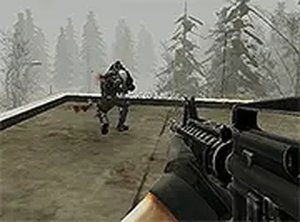
Call of Ops is an online shooter game that brings fast-paced combat to your browser. Players step into a competitive arena where the primary goal is to outmaneuver and outshoot opponents in a deathmatch-style setting. The game emphasizes quick reflexes and strategic thinking, as each match is a test of skill against other players. With its arcade-inspired design, Call of Ops offers an accessible yet challenging experience for both newcomers and seasoned shooter fans. The action is centered around earning in-game currency through eliminations, which can then be used to enhance your capabilities.
How to Play
In Call of Ops, players typically control their character using standard keyboard and mouse inputs. Movement is handled with the WASD keys, while aiming and firing are done with the mouse. The core loop involves entering a multiplayer deathmatch arena where you compete against other players. Your objective is to eliminate opponents to earn points and in-game money. After each match, you can visit the in-game shop to spend your earnings on upgrades or new equipment. The game runs directly in a desktop browser, requiring no downloads, and can be played in full-screen mode for a more immersive experience.
Game Features
Call of Ops includes a multiplayer deathmatch mode where players face off against real opponents. The game features a reward system that allows you to earn currency by performing well in matches. This currency can be used to purchase upgrades that improve your performance. The game is designed with smooth controls optimized for keyboard and mouse, ensuring responsive gameplay. It also offers next-generation graphics that create a visually engaging arena. As a free-to-play title, it requires no downloads and can be accessed directly through a web browser on desktop computers.
Tips for Success
To succeed in Call of Ops, focus on mastering your movement and aim. Practice strafing and using cover to avoid enemy fire while maintaining accuracy. Prioritize earning in-game currency by getting eliminations, as this allows you to purchase upgrades that can give you an edge. Learn the layout of the maps to anticipate enemy positions and find advantageous spots. Regularly visit the shop after matches to invest your earnings wisely. Finally, stay patient and consistent—improvement comes with practice and adapting to different opponents' strategies.