Cooperative Puzzle Platformer
Reviews
💡Move Box delivers a satisfying cooperative experience that stands out from typical platformers. The two-player dynamic is well-balanced, with each role feeling essential. The puzzles are clever without being frustrating, and the retro graphics are charming. Levels are short enough for quick sessions but offer enough variety to keep you coming back. The game encourages real communication and teamwork, making it a great choice for friends or family. It is free, runs smoothly in a browser, and has no intrusive ads. A solid pick for casual puzzle fans.
Description
Game Introduction
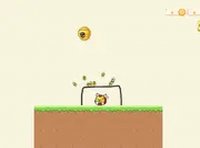
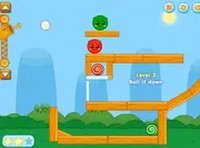
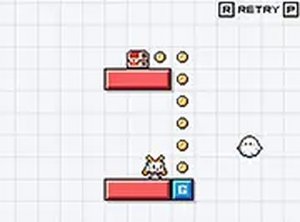
Move Box Online Game is a cooperative puzzle platformer designed for two players. The core objective is to navigate through colorful levels, collect coins and treasures, and reach the end of each stage. What makes this game unique is the division of roles: one player controls a nimble character who can jump and collect items, while the other player controls a ghost who cannot pick up anything but has the special ability to push blocks. This simple yet clever mechanic turns every level into a puzzle that requires communication and coordination. The game features a vibrant pixel art style and is playable directly in a web browser on desktop computers.
How to Play
In Move Box, two players work together on the same keyboard. The first player uses typical movement keys (such as arrow keys or WASD) to move and jump. Their goal is to collect all the shiny coins and reach the treasure at the end of each level. The second player controls the ghost using separate designated keys. The ghost cannot collect coins or treasure, but its block-pushing ability is essential for overcoming obstacles and opening new paths. Players must communicate to push blocks onto switches, create bridges, and clear the way for the first player. The game is designed for desktop use, so a keyboard is required for the best experience.
Game Features
Cooperative two-player gameplay that requires teamwork and communication. Pixel art style with vibrant colors and charming retro graphics. Block-pushing puzzles that challenge strategic thinking. Free to play with no downloads or registration required. Runs directly in a browser and supports full-screen mode for an immersive experience. Levels are filled with coins, treasures, and obstacles that require coordination to overcome.
Tips for Success
Communication is key—talk with your partner about each move before acting. The ghost player should always be looking ahead to see where blocks need to be moved. The first player should wait for the ghost to set up paths before rushing ahead. Practice coordinating movements to avoid traps and solve puzzles efficiently. If you get stuck, try switching roles to see the level from a different perspective. Remember that patience and teamwork are more important than speed.